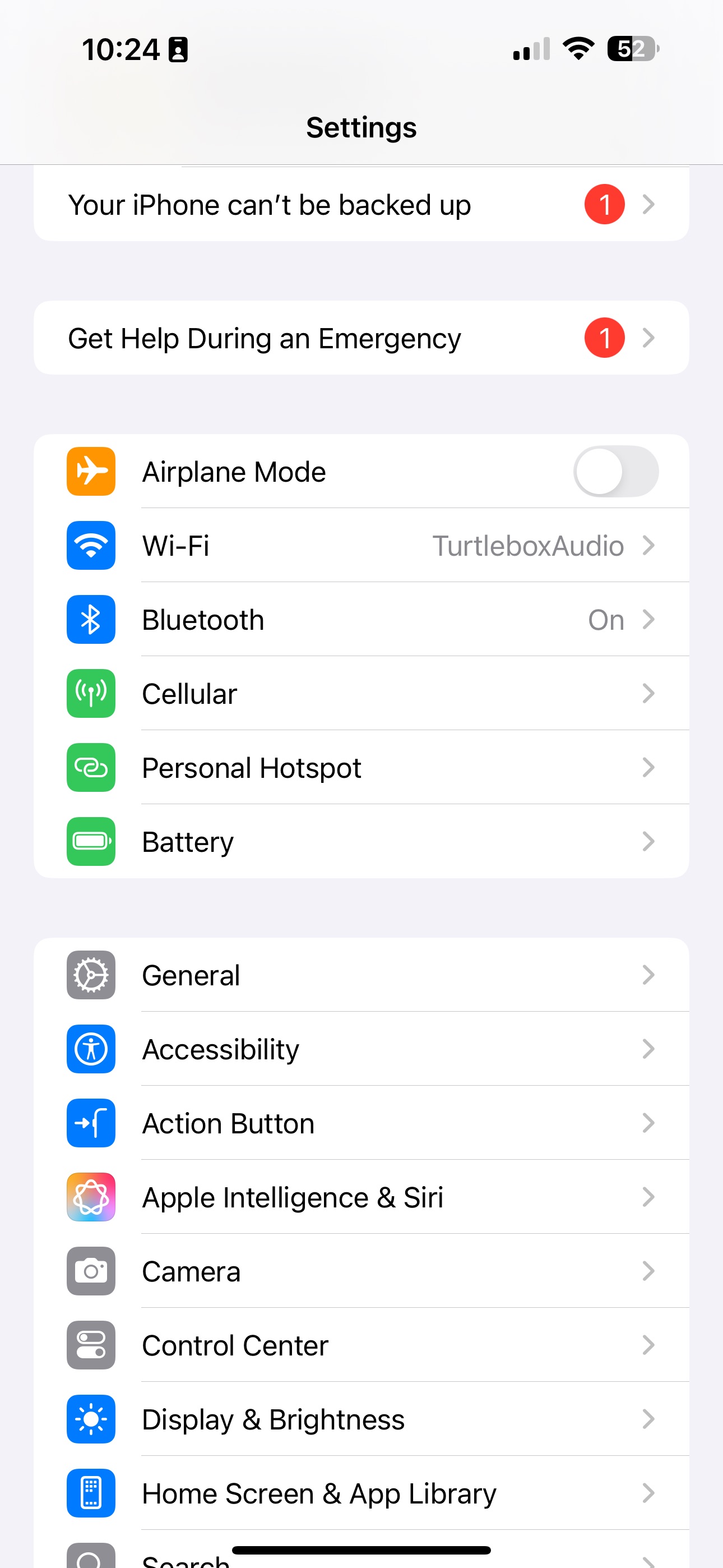
1. Open your settings on your iPhone
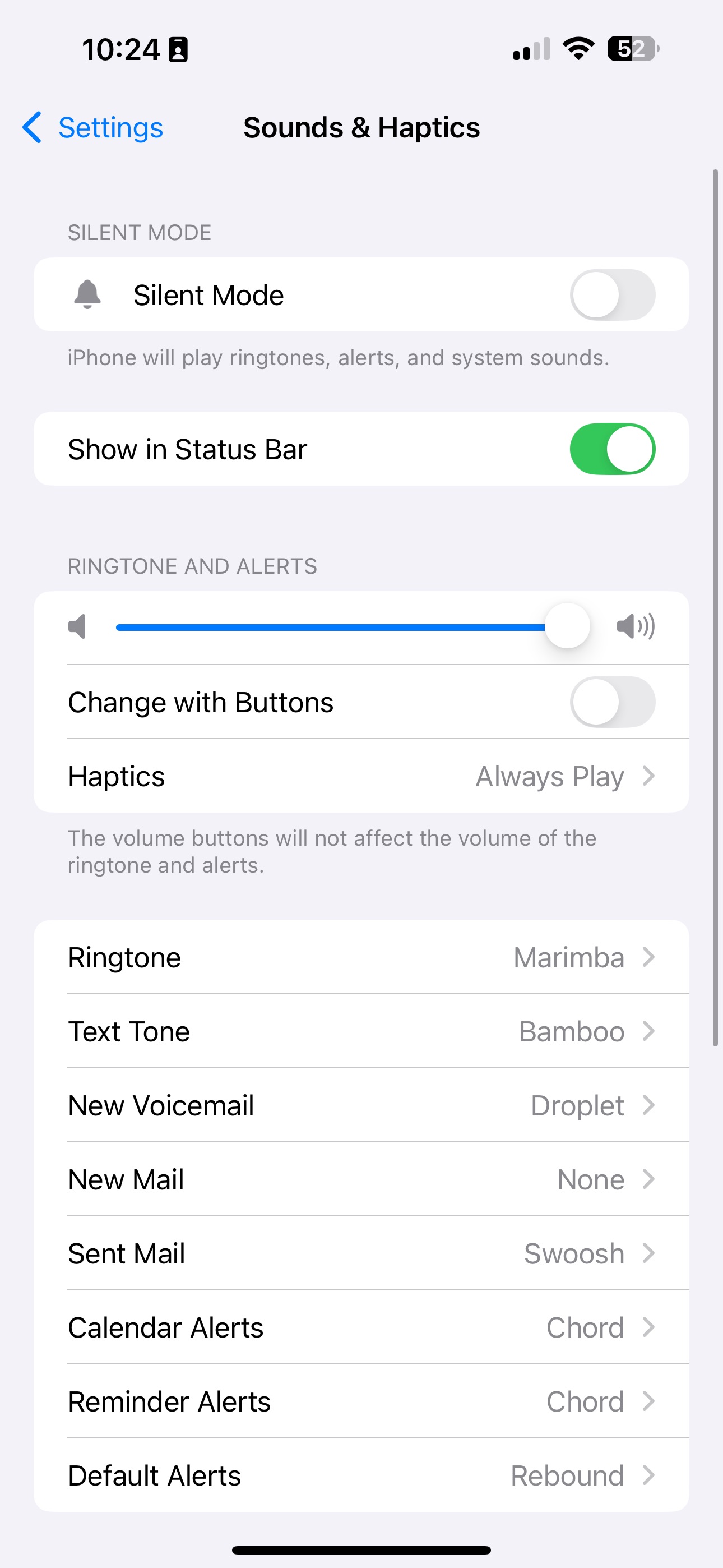
2. Go to "Sounds & Haptics"
3. Scroll to "Headphone Safety" and ensure the "Reduce Loud Audio" toggle is turned off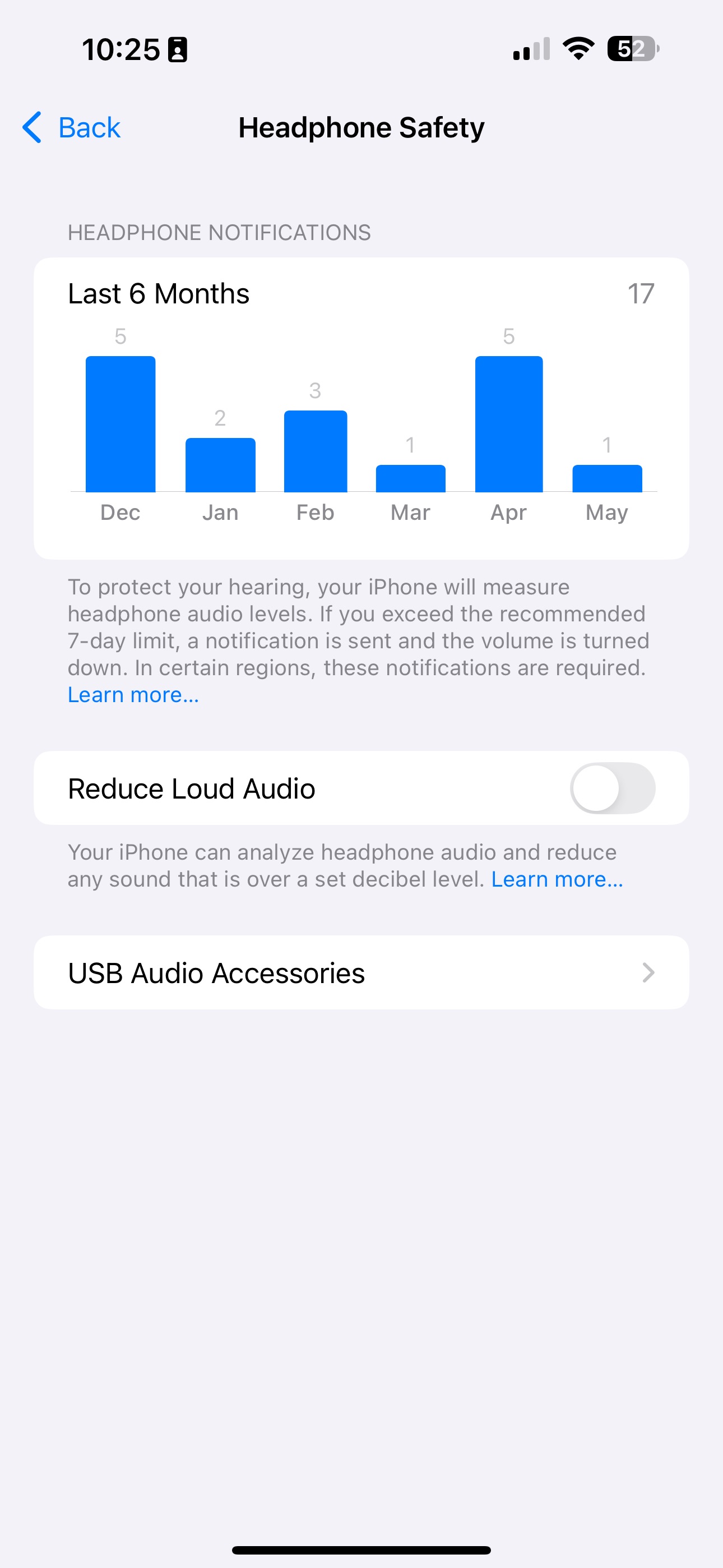
Was this article helpful?
That’s Great!
Thank you for your feedback
Sorry! We couldn't be helpful
Thank you for your feedback
Feedback sent
We appreciate your effort and will try to fix the article